Resource plan and custom views
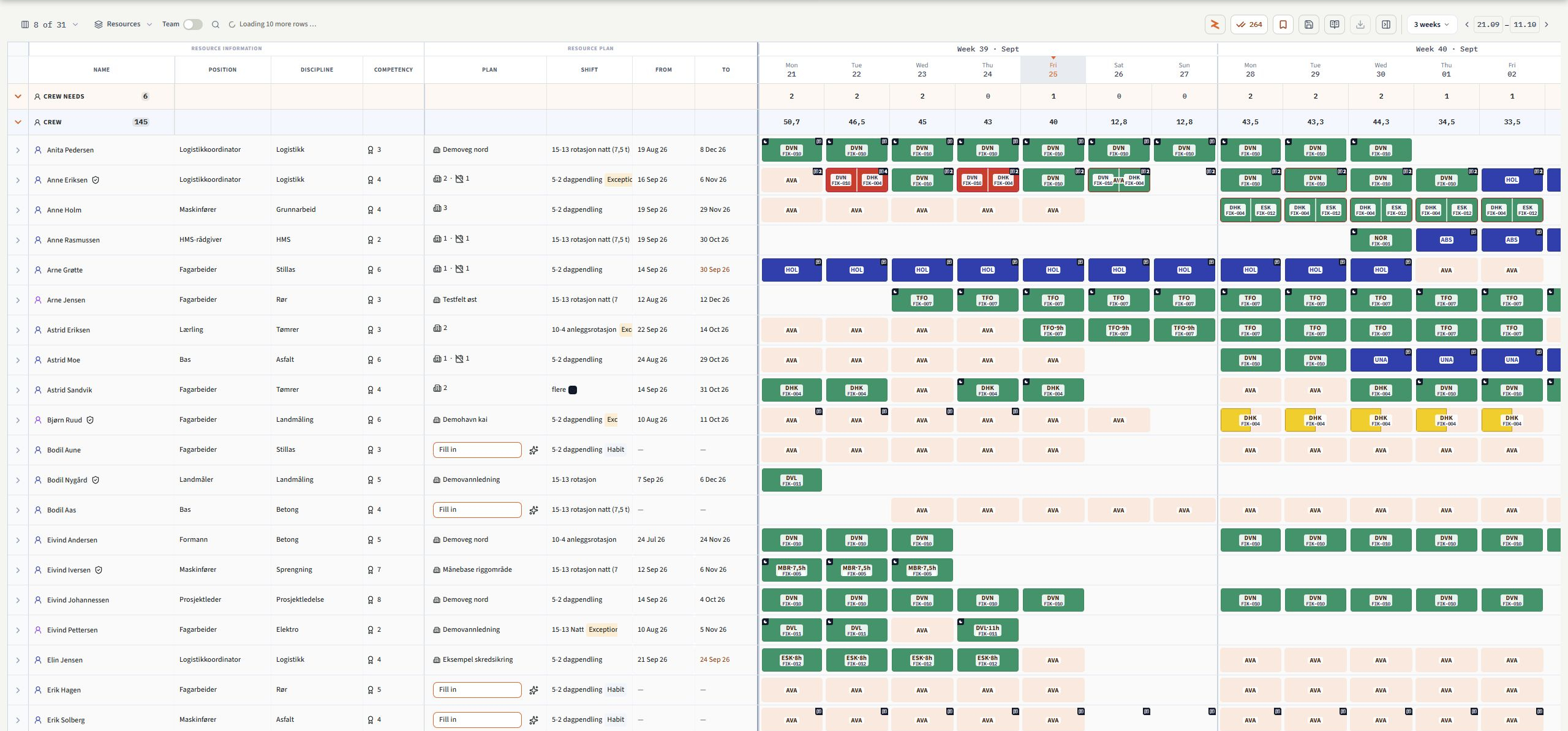
Keep resource details and planning fields beside the timeline. Choose columns and widths, freeze important fields and switch between resources and projects.

For construction and civil engineering
One plan for people, equipment and projects. A clear view in the office. Today’s work in your pocket.
Thousands
of resources planned
Crews and machines, from single teams to the entire portfolio.
From 80 employees and up
Used by several large and mid-sized contractors in construction and civil engineering.
Tailored to every customer
We shape the solution around your processes – not the other way around.
More clarity. Less friction.
Keep the information you need for everyday work in one place. Share the plan with the people doing the job.
Identify double bookings, capacity needs and qualification gaps before they affect the project.
Ask questions, receive suggestions and review changes before they become part of the plan.
My page · For every employee
With Profile, every employee has their own overview on their phone. See today’s work, follow the week and find the information you need before arriving.
See today’s assignment, meeting point, hours, shift and project manager. Browse days and weeks, and open the projects you are assigned to.
See Profile pricing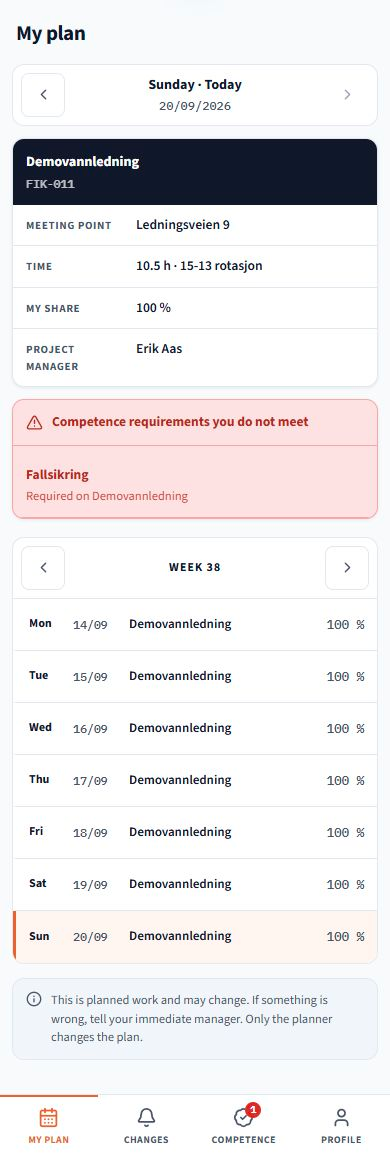

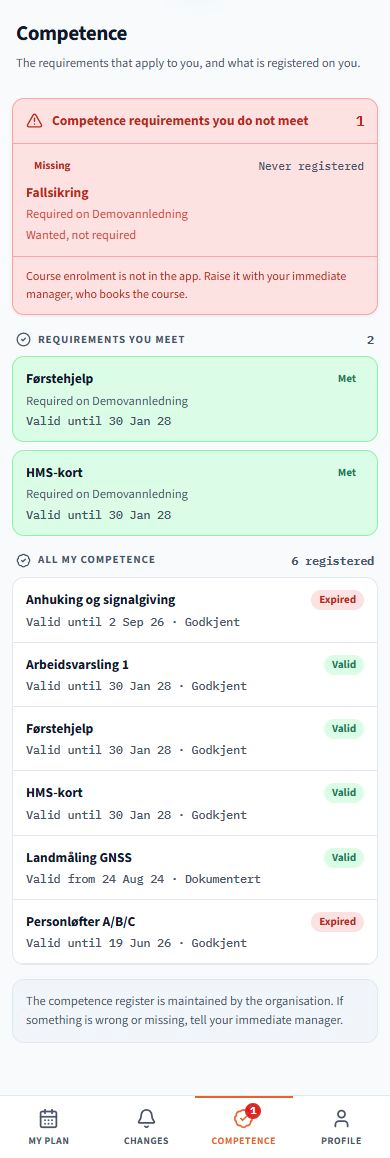
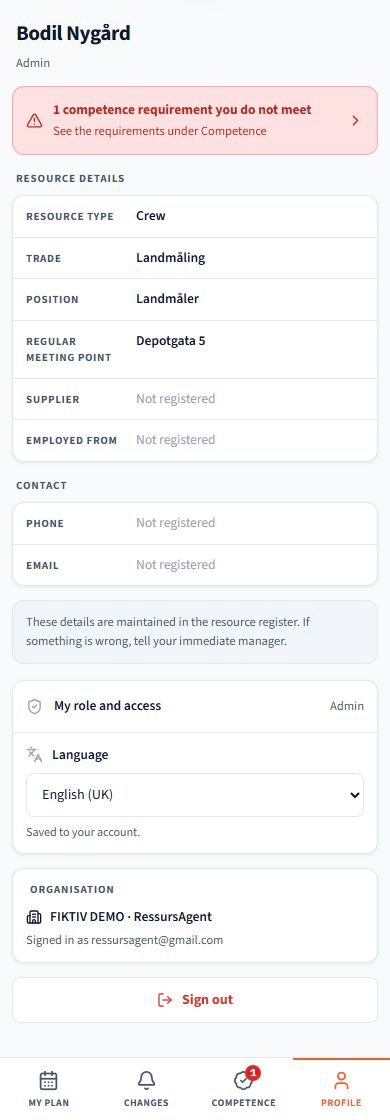
Scroll inside the phone to see more. Switch views with the buttons at the bottom.
Screenshots from the product with example data. The interface follows your selected language; recorded names and project data are preserved.
RessursAgent / AI
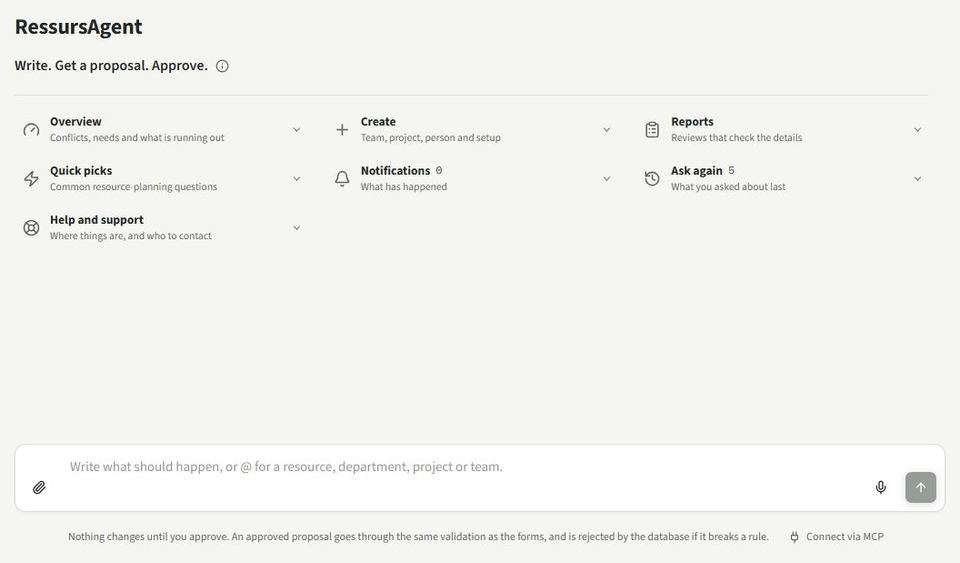
Ask about capacity, unmet needs or qualifications. Use references and attachments to give the Agent the context it needs.
Interactive preview. Your text stays in this browser.
Get an overview of availability, conflicts and certificates approaching expiry.
Ask to create a resource request, move an assignment or extend a period.
Review and approve supported changes. Suggestions are checked against the rules in the system.
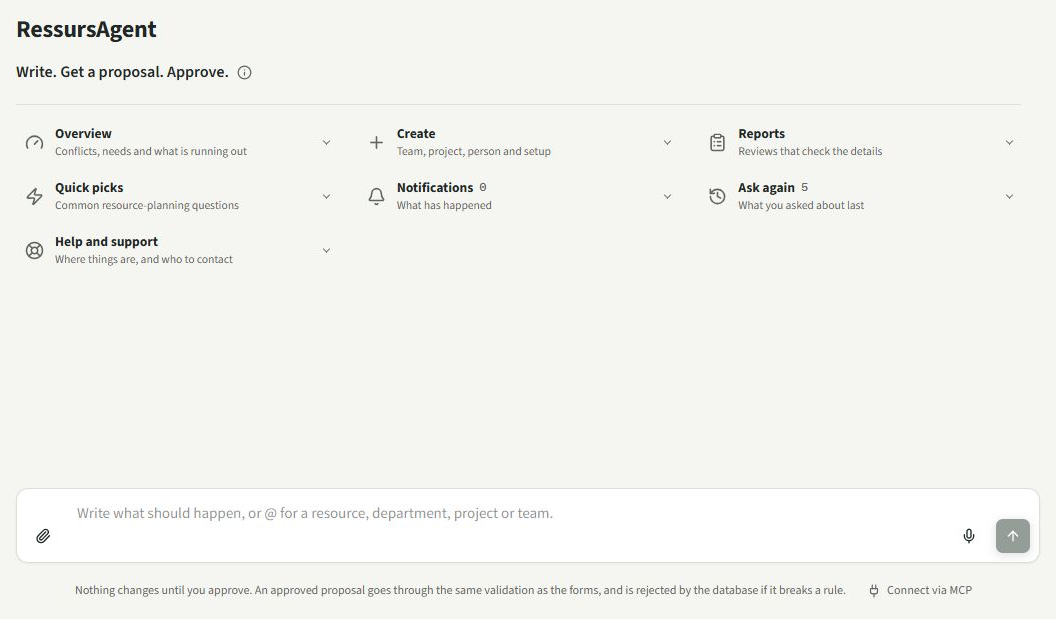
Use @ references, text, voice and attachments such as PDFs, Excel files and images.
Inside RessursAgent
Browse the workspaces and open images at full size to explore the details.
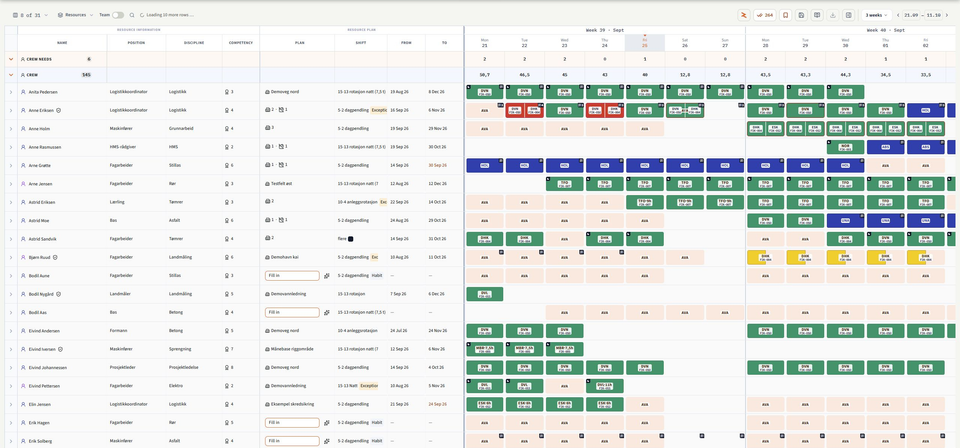
Resource details and selected planning fields sit beside the timeline. See demand, assignments, absence and availability, and choose to display calculated planned hours.
Screenshots from the product with example data. The interface follows your selected language; recorded names and project data are preserved.
Features that get the job done
Planning, people and decisions in one place.
Keep resource details and planning fields beside the timeline. Choose columns and widths, freeze important fields and switch between resources and projects.
Register needs for people or equipment with position, trade, equipment type or model, qualification requirements, quantity, period, allocation and shift. Compare candidates by fit and availability, then staff, reject or cancel the need.
Break a project into activities with owners and dates. Allocate planned resources, organise project teams with team leaders and shifts, and see what still needs staffing.
Use shift templates for day, night, weekend, rotation, on-call and round-the-clock operation. Register overtime, extra workdays and days off, and absence such as holiday, sick leave, leave or maintenance – in full or in part.
Find a saved plan version by date, search and filter its contents, and export Excel or PDF. History shows saved snapshots while leaving the current plan unchanged.
Follow bids from draft and qualification to submitted, negotiation, won or lost, with customer, period, value and probability. Register needs for positions and equipment models, and choose whether the bid is included in the simulation.
Track the portfolio, in-house production, work rate, absence and issues needing attention.
Compare planning utilisation, in-house production and production capacity up to three years ahead. Explore weeks and the resources behind the figures, and see what open bids could change.
Assess alternatives for travel, own production and collaboration. Compare candidates, competencies and capacity before choosing a swap. Travel distances are straight-line estimates.
See who has worked together, both between people and between people and equipment. Pairs are ranked by shared days on projects, and you can see which projects connect them.
Explore cluster cards and a map by role or model, skill and trade or equipment type. Choose a radius and see profiles, projects and data coverage. The map shows recorded project locations, not live positions or availability.
Compare bids up to 36 months ahead: all won, probability-weighted or above a selected threshold. Review own coverage, hiring needs, bottlenecks, key-person conflicts and the cost of winning. Save and compare scenarios, with missing data clearly identified.
Follow planned movements of people and machines between projects. Switch between a flow diagram and a list, and open connections to see the resources behind them.
View monthly cost forecasts and expected payments based on planned hours and price tags. Select a plan version, project and resource. Incomplete pricing is flagged; this is a forecast, not accounting data.
See planned hours per project and resource. Recorded hours, time variance and cost variance require a connected time-recording source with confirmed data coverage. The app shows when that data is missing.
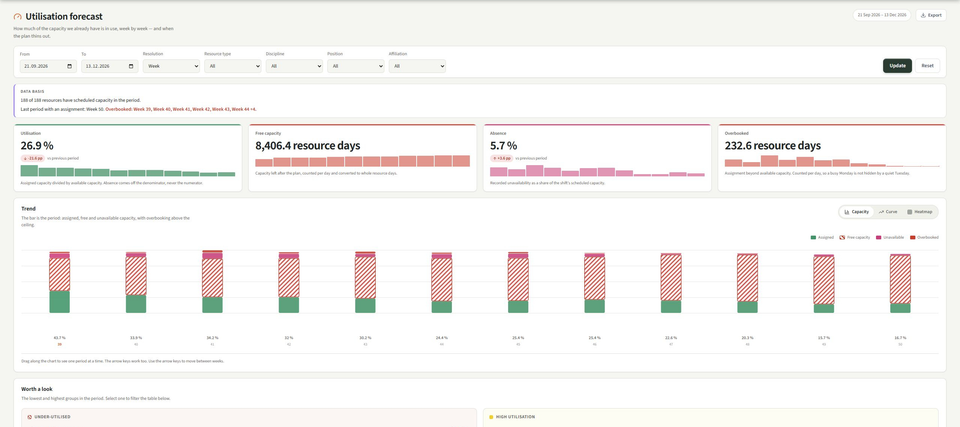
Track allocated, spare and unavailable capacity and overbooking. Switch between capacity charts, curves and heatmaps, then explore trades, positions and individual resources.
Register people and equipment with department, position, trade, equipment type and model, work base and affiliation: in-house, hired or subcontractor. Link hired resources to a supplier and equipment to a base.
See project experience, calculated hours, collaboration, leadership and skills in one person overview, with an explanation of the underlying data.
Review requirements by project and person, follow trends and explore the competency matrix. Find courses that address the most gaps, plan attendance and track certificates due for renewal.
Set requirements on a position, person, trade, team, project team, tag, project, activity, equipment group, equipment model or individual machine. Mark what is mandatory and see how many resources each requirement applies to.
Label resources and projects with tags that can carry a price or supplement per hour, day or month, or as a fixed amount, and link them to teams, trades and project teams. Tags can also set qualification requirements.
Give access as Profile, Viewer, Project admin for selected projects or Admin with selected functions. Use the product in Norwegian, Swedish, Danish, English, Finnish, Polish, Estonian or German.
Ask questions and receive suggestions with references to resources, projects and teams.
Add comments to projects, resources, assignments, needs, absence, teams and workday exceptions, with a validity period where needed.
See who changed what and when – including changes made by the system, an import or an API key. Open event details and filter by actor, object, action and date.
Gather events and signals from the plan, marked as information, warning or action required. Search, prioritise and follow up double bookings, unfilled needs and qualification deadlines.
Share selected planning information by SMS and email. Export the resource plan, allocations, competencies, availability and staffing by activity to Excel, or use PDF. Insight views also offer Excel, Word and PDF exports.
Bring in master data through controlled imports, connect your own systems to the documented API and give compatible AI tools access through MCP within the user's role.
Available features depend on the user's role and the organisation's configuration.
Tailored
No two contractors plan exactly alike. That's why we tailor RessursAgent to each customer: setup, workflows, reports and integrations.